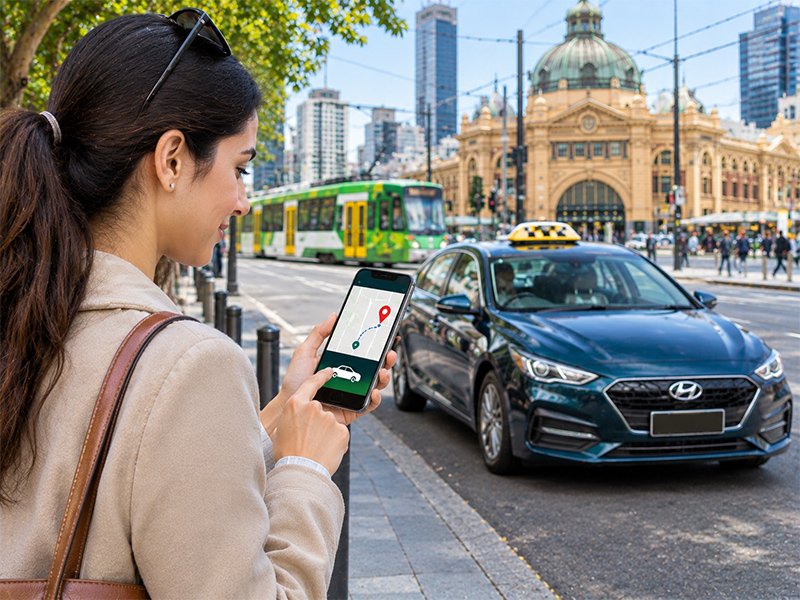
Quick answer: To book a taxi online in Melbourne, open a booking form and enter your pickup and drop-off addresses. Next, choose the date, time and vehicle, add any flight details, and submit. The whole process takes about two minutes.
Phoning for a cab is fine, but many people now prefer to book a taxi online. It works at any hour, gives you a written record and avoids waiting on hold. This step-by-step guide shows exactly how online taxi booking works, plus a few tips that make every trip smoother.
Why Book a Taxi Online Instead of Calling?
Online booking puts you in control. First, you can book at 2 am without waking anyone. Second, you type the address yourself, so there is less risk of a mix-up. Third, you get a confirmation you can check later or share with family.
It also helps when you plan ahead. For example, you can book Monday’s airport run on Friday night, then forget about it until the driver arrives. Our guide on reasons to pre-book an airport ride explains why this lowers stress before a flight.
How to Book a Taxi Online: Steps 1 to 4
Step 1: Open the Booking Page
Go to our booking page on your phone, tablet or computer. The form loads quickly and works on any modern browser. There is no app to download and no account to create.
Step 2: Enter Your Pickup Address
Type your full address, including the unit or apartment number. If your building has a gate code or a hidden entrance, add it in the notes. This small detail saves time when the driver arrives.
Step 3: Add Your Destination
Enter the address you are heading to. For the airport, choose the correct terminal. At Melbourne Airport, Qantas domestic flights use T1, international flights use T2, Virgin Australia uses T3, and Jetstar and Rex use T4. If you are unsure, check your ticket or the airport’s live flights page.
Step 4: Choose the Date and Time
Pick the time you want to be collected, not the time of your flight. As a guide, aim to reach the airport about 90 minutes before a domestic flight. For international flights, allow around three hours.
Book a Taxi Online: Steps 5 to 7
Step 5: Select Your Vehicle
Choose the car that fits your group. A standard taxi suits most trips. Meanwhile, an SUV or wagon gives families more room, and a van carries large groups with plenty of luggage. You can compare every option on our fleet page.
Step 6: Add Flight Details and Special Requests
For airport pickups, add your flight number so the driver can track any delay. Also mention extra luggage, child seats or accessibility needs. Child seats and baby capsules are available on request. If you travel with an MPTP card, say so here, and read about our MPTP taxi service.
Step 7: Check and Submit
Before you press send, review every detail. In particular, check your phone number, because the driver may need to call you. Then submit the form and wait for your confirmation.
What Happens After You Book a Taxi Online?
Once you submit, our team confirms your booking. Your driver then arrives at the agreed time. For airport pickups, the driver tracks your flight, so a late landing does not leave you stranded. If your plans change, contact us as early as possible. Our refund and cancellation policy explains how changes work.
Every taxi driver in Victoria must hold accreditation from the state regulator. You can learn more about passenger safety on the Safe Transport Victoria website.
Tips for a Smooth Online Taxi Booking
- Book as early as you can, especially for dawn flights and public holidays.
- Use a pickup time with a small buffer for traffic.
- Add clear notes about access, parking or pets.
- Keep your phone switched on and nearby.
- Save our number in your phone in case you need to call.
Online Taxi Booking for Regular and Business Trips
Do you travel often for work? Then online booking makes repeat trips even easier. We handle corporate and executive transport, hotel and resort transfers and scheduled rides for regular appointments. As a result, you can plan a whole week of travel in a few minutes.
Prefer to Talk to Someone?
Online booking is quick, but some trips need a chat. In that case, call 1300 159 261 at any hour, or message us on WhatsApp at 0404 084 222. You can also reach us through our contact page. Either way, you can book a taxi online or by phone and enjoy the same friendly service.
Frequently Asked Questions
Can I book a taxi online for the same day?
Yes. You can book a taxi online for a same-day trip at any hour. For airport runs and busy periods, booking a few hours ahead gives you the best chance of your preferred vehicle.
Do I have to pay when I book online?
No upfront payment is required. You pay at the end of the trip, and card and Cabcharge payments are accepted.
Can I book a taxi online for someone else?
Yes. Enter their pickup address and phone number, and add a note with any details the driver should know.
How do I change or cancel an online booking?
Call 1300 159 261 or use our contact page as early as possible. Our refund and cancellation policy explains how changes are handled.
Can I request a child seat when I book online?
Yes. Add the child seat or baby capsule request in the notes when you book. They are available on request.
Is online taxi booking available 24/7?
Yes. The booking form works day and night, and our phone line is also open 24 hours a day, 7 days a week.